
Utoljára frissítve:
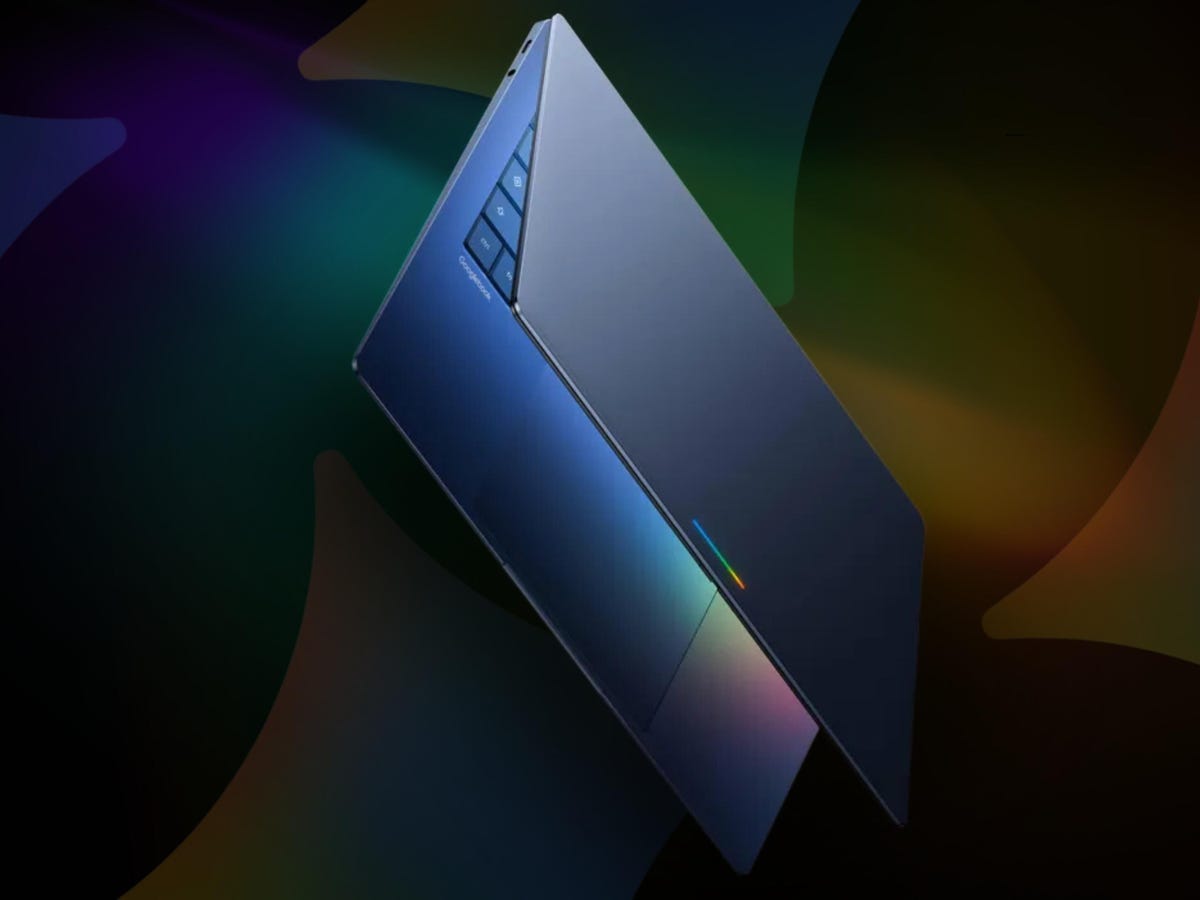
A Googlebook laptop nagy visszhangot kelt a mesterséges intelligenciával működő bemutatója előtt, és sokan azt kérdezik, képes-e kikerülni azokat a problémákat, amelyek hátráltatták a Copilot+ PC-ket. Az Android és a ChromeOS zökkenőmentes ötvözetének ígéretével a Googlebook arra törekszik, hogy újradefiniálja, mire képes egy prémium laptop – különösen azok számára, akik többre vágynak, mint egy újabb Chromebookra.
Ez az új eszköz több mint egyszerű hardverfrissítés; ez a Google eddigi legambiciózusabb kísérlete arra, hogy egyesítse mobil- és asztali platformjait, rendszerszinten használja az MI-t, és okosabb, összekapcsoltabb élményt nyújtson. Ahogy egyre több részlet derül ki a bemutatóról, előtérbe kerülnek a teljesítménnyel, kompatibilitással és azzal kapcsolatos kérdések, hogy mennyire lehet értékes Chromebook-alternatíva.
Miben különbözik a Googlebook laptop?
A hagyományos Chromebookokkal ellentétben a Googlebook laptopot eleve az MI-integrációra és egy új operációs rendszerre építve tervezték. Ez az eszköz nem egyszerűen egy csúcskategóriás Chromebook; ez egy jövőbe mutató gép, amely ötvözi a Google Android- és ChromeOS-ökoszisztémájának előnyeit. A cél egy olyan laptop, amely nemcsak gördülékenyen futtatja a mobilalkalmazásokat, hanem az MI-t is felhasználja a produktivitás és a mindennapi feladatok egyszerűsítésére.
A Googlebook középpontjában a Gemini áll, a Google generatív MI-je, amely túlmutat egy átlagos hangasszisztensen vagy chatboton. A Gemini be van építve az operációs rendszerbe, így kontextusfüggő javaslatokat ad és automatizálja a rutinfeladatokat. Például a Magic Pointer olyan valós idejű promptokat kínál, amelyek annak alapján jelennek meg, hogy mire mutat éppen az egér, míg a ‘Create Your Widget’ lehetővé teszi, hogy a felhasználók egyedi asztali vezérlőpultokat hozzanak létre a Gmailhez és a Naptárhoz hasonló Google-szolgáltatásokra építve.
Ez a megközelítés élesen eltér a Microsoft Copilot+ PC-itől, amelyeket kritika ért a kevésbé egyértelmű MI-előnyök és a zavaros felhasználói élmény miatt. A Google arra fogad, hogy az MI sokkal gördülékenyebb integrációja miatt a Googlebook laptop intuitívnak, nem pedig túlterhelőnek hat majd.
A ChromeOS és az Android egyesül: bemutatkozik az Aluminum OS
A Googlebook laptop egy új operációs rendszer debütálását jelzi, amelyet széles körben Aluminum OS néven emlegetnek, bár a Google nyilvánosan a „ChromeOS következő generációjaként” hivatkozik rá. Ez a platform a ChromeOS böngészőközpontú kialakítását ötvözi az Android kiterjedt alkalmazásökoszisztémájával, és egyszerre kínál laptop-szintű teljesítményt és mobilos kényelmet.
Az egyik legjelentősebb ígéret a telefon és a laptop szorosabb integrációja. Az olyan funkciók, mint a Quick Access, lehetővé teszik, hogy az Android-telefonodon lévő fájlokat közvetlenül böngészd és beszúrd, kézi átmásolás nélkül. Képzeld el, hogy egy e-mailhez fényképet csatolsz közvetlenül a telefonod tárhelyéről, egyenesen a laptop fájlböngészőjéből – kábelek nélkül, felhőfeltöltés nélkül, csak azonnali produktivitással.
Ez az összefonódás már több mint egy évtizede készül, a Google már 2009-ben is beszélt egy lehetséges ChromeOS-Android hibridről. A Googlebookkal a vállalat végre készen áll arra, hogy olyan terméket mutasson be, amelyben az eszközök és alkalmazások közötti váltás teljesen természetesnek hat.
Googlebook vs. Copilot+ PC: hogyan viszonyulnak egymáshoz?
A Googlebook laptop bemutatója elkerülhetetlenül összehasonlításokat von maga után a Microsoft Copilot+ PC-kínálatával. Mindkét márka a következő generációs, MI-alapú laptopként pozicionálja a termékeit, de a stratégia és a megvalósítás között fontos különbségek vannak. Míg a Copilot+ PC-k a Windowsba épített MI-funkciókra összpontosítanak, addig a Googlebook eleve az MI-re és egy egységes operációs rendszerre épül.
- MI-integráció: A Googlebook rendszerszintű MI-ként használja a Gemini-t, míg a Copilot+ PC-k a Microsoft Copilotra támaszkodnak, amely gyakran ráépített kiegészítésnek érződik a megszokott Windows-élményhez képest.
- Alkalmazásökoszisztéma: A Googlebook Android és ChromeOS összeolvasztása révén mobilalkalmazások millióit szeretné elhozni laptopformátumba, míg a Copilot+ PC-k a Windows és a Microsoft Store ökoszisztémáján belül működnek.
- Eszközök közötti folytonosság: A Googlebook mély integrációt ígér az Android-telefonokkal, az Apple Handoffhoz hasonló, de a Google ökoszisztémájára szabott funkciókkal.
- Árazás és pozicionálás: Korai kiszivárgások szerint a Googlebook a prémium piacra lép be, a zászlóshajó modellek ára körülbelül 1 200 dollár lehet – ez a felsőkategóriás Windows laptopokkal vetekszik, de hangsúlyosan Android-kompatibilitásra és MI-funkciókra épít.
A Microsoft Copilot+ PC-k nehezen győzték meg a vásárlókat arról, hogy az MI-funkcióik megérik az árprémiumot. A Google kihívása az, hogy bebizonyítsa: a Googlebook laptop valódi, mindennapi előnyöket kínál, amelyeket máshol nem lehet megkapni.
Specifikációk, modellek és hardver: mire lehet számítani?
Bár a Google még nem hozta nyilvánosságra a Googlebook laptopcsalád teljes műszaki specifikációit, a partnerektől, például az Acertől, a Lenovótól, az Asustól és a HP-tól származó szivárgások bepillantást adnak abba, mi várható. A sokak által ismert, kedvező árú Chromebookokkal ellentétben a Googlebook a prémium szegmensben kíván versenyezni.
Íme egy pillanatkép arról, ami eddig kiszivárgott:
| Modell | Képernyőméret | Fő процессzor | Várható ár | Különleges funkciók |
|---|---|---|---|---|
| Acer 14 hüvelykes OLED | 14″ | Megerősítetlen (valószínűleg ARM-alapú) | ~1 200 dollár | OLED kijelző, prémium kialakítás |
| Lenovo Duet M | 13″ | MediaTek | Nem ismert | Levehető 2 az 1-ben kialakítás |
| HP/Asus modellek | Ismeretlen | Ismeretlen | Nem ismert | A dizájnra és a folytonosságra összpontosít |
Várhatóan többféle formátumú változat is lesz, köztük hagyományos kagylóhéj kialakítású és levehető táblagépes modellek. A memória, a tárhely és más specifikációk továbbra is titokban maradnak, de a prémium alkatrészek valószínűek, tekintettel a pozicionálásra és a várható árszintekre. A korai információk szeptemberi bemutatóablakra utalnak, de ezek a részletek a megjelenéshez közelebb véglegesednek.
Android-alkalmazás-kompatibilitás és a laptopélmény
A Googlebook laptop egyik legnagyobb vonzereje az Android-alkalmazások natív támogatása. A korábbi Chromebookokkal ellentétben, amelyek korlátozottan tudtak Android-appokat futtatni, a Googlebook teljes kompatibilitásra és asztali szintű teljesítményre törekszik.
A fejlesztőket arra ösztönzik, hogy alkalmazásaikat a billentyűzet-, egér-, trackpad-, sőt stylus- és játékvezérlő-bemenethez is igazítsák. Ez magában foglalja az olyan funkciók támogatását, mint az átméretezhető ablakok, a húzd és ejtsd használat, valamint a több, egyidejű alkalmazáspéldány. A cél az, hogy kedvenc Android-appjaid ugyanolyan természetesen hassanak laptopon, mint a hagyományos asztali programok.
Az átállás azonban nem automatikus. Sok Android-alkalmazást kis képernyőre és csak érintéses vezérlésre terveztek. A Google arra ösztönzi a fejlesztőket, hogy jobbá tegyék alkalmazásaikat a nagyobb kijelzőkhöz és összetettebb beviteli módokhoz, de a platform sikere azon múlik majd, milyen gyorsan alkalmazkodik az alkalmazásökoszisztéma. Azoknak a felhasználóknak, akik bizonyos mobilappokra támaszkodnak munkához vagy kreatív feladatokhoz, ez valódi áttörést jelenthet – ha az élmény valóban zökkenőmentes lesz.
Hová illeszkedik a Googlebook a Chromebook-családban?
A Googlebook laptop megjelenése nem jelenti azt, hogy a Chromebookok eltűnnének. Sőt, a Google kijelentette, hogy a hagyományos Chromebookokat továbbra is árusítják és támogatják majd, elsősorban a költségtudatos felhasználókat és az iskolákat célozva. A Googlebook egy prémium alternatíva azok számára, akik nagyobb teljesítményt, jobb kijelzőt és mélyebb Android- és MI-integrációt szeretnének.
Ez a kettős stratégia lehetővé teszi a Google számára, hogy a piac mindkét végét lefedje. A Chromebookok továbbra is az olcsó, könnyen kezelhető laptopok első számú választásai maradnak, míg a Googlebook a szakembereket, haladó felhasználókat és azokat célozza, akik a legújabb MI-funkciókat keresik. A Googlebook Chromebook-alternatíva szabadságot ad a felhasználóknak, hogy igényeik és költségvetésük alapján válasszanak, miközben nem vesztik el a megszokott ChromeOS-élményt.
Azoknak az iskoláknak és vállalkozásoknak, amelyek már befektettek a Chromebookokba, a Googlebook egy lehetséges továbblépési útvonalat kínál, ahogy az igények változnak. Az Android-rajongóknak pedig, akik olyan laptopot szeretnének, amely kéz a kézben működik a telefonjukkal, a Googlebook végre választ adhat az éveken át ismételt kérésekre egy valódi Google laptop iránt.
Az MI szerepe a mindennapi használatban
Az MI nem csupán egy divatos jelszó a Googlebook laptop esetében. Azzal, hogy a Gemini-t az operációs rendszerbe szövi, a Google azt szeretné elérni, hogy a mesterséges intelligencia mindennapi eszközzé váljon, ne pedig egyszeri újdonsággá. Az olyan funkciók, mint a Magic Pointer és a Create Your Widget, időt takarítanak meg és csökkentik a súrlódást – legyen szó arról, hogy egyetlen kattintással naptári meghívóvá alakítasz egy értekezletdátumot, vagy személyre szabott vezérlőpultot állítasz össze utazáshoz, foglalásokhoz és teendőkhöz.
Továbbra is nyitott kérdések vannak az adatvédelemről, az offline működésről és arról, hogy mely funkciókhoz lesz szükség fizetős MI-előfizetésre. A Google még nem tisztázta, hogy minden MI-feldolgozás a felhőben történik-e, vagy egyes feladatok helyben is futhatnak-e a jobb teljesítmény és adatvédelem érdekében. Ez kulcsfontosságú kérdés, hiszen a Microsoftot is kritika érte az adatkezelés és az előfizetési követelmények miatt a saját Copilot+ PC-inél.
Végső soron az olyan MI-alapú laptopok értékét, mint a Googlebook, az fogja meghatározni, mennyire teszik egyszerűbbé – és nem bonyolultabbá – a mindennapi életet. Ha a Google teljesíti az ígéreteit, a Googlebook laptop az MI etalonjává válhat a személyi számítástechnikában.
Gyakran ismételt kérdések
Mi a Googlebook laptop fő előnye a hagyományos Chromebookokkal szemben?
A Googlebook laptop erősebb élményt kínál azáltal, hogy egyesíti az Androidot és a ChromeOS-t, így mind a mobil-, mind a webalkalmazásokhoz hozzáférést biztosít jobb teljesítménnyel. A rendszerszintű MI-integráció és a telefon-laptop közötti szorosabb folytonosság jelentős előrelépést jelent a szokásos Chromebookokhoz képest.
Le fogja váltani a Googlebook a Chromebookokat?
Nem, a Chromebookokat továbbra is árusítják és támogatják. A Googlebook prémium alternatívaként van pozicionálva, olyan felhasználókat célozva, akik fejlettebb funkciókat, jobb hardvert és zökkenőmentesebb integrációt szeretnének az eszközök és szolgáltatások között.
Mennyibe fog kerülni a Googlebook laptop?
Bár a hivatalos ár még nem ismert, a kiszivárgások szerint az olyan zászlóshajó modellek, mint az Acer 14 hüvelykes OLED változata, körülbelül 1 200 dollárról indulnak. A Lenovo, a HP és az Asus más konfigurációi különböző árkategóriákat kínálhatnak.
Az összes Android-alkalmazást futtathatom a Googlebook laptopon?
Igen, a Googlebook futtatni fogja a meglévő Android-alkalmazásokat, de a fejlesztőket arra ösztönzik, hogy optimalizálják őket laptopos használatra. Nem minden app fog natívnak érződni a bemutató idején, de a Google dolgozik a kompatibilitás javításán és a jobb alkalmazásélmény ösztönzésén nagyobb képernyőkön.
Miben különbözik a Googlebook laptop a Copilot+ PC-ktől?
A Googlebook egy egységes Android-ChromeOS platformra épül mély MI-integrációval, míg a Copilot+ PC-k a Microsoft MI-funkcióit rétegezik rá a Windowsra. A Googlebook emellett szorosabb telefon-laptop integrációt és egységesebb alkalmazásélményt is céloz az Android-felhasználók számára.
Következtetés
A Googlebook laptop a Google eddigi legmerészebb lépését jelenti az MI-alapú laptopbemutatók világába. Az Android és a ChromeOS egyesítésével, a Gemini rendszerszintű beépítésével és a zökkenőmentes eszközfolytonosság ígéretével a Googlebook arra törekszik, hogy elkerülje azokat a buktatókat, amelyek visszafogták a Copilot+ PC-ket. Bár sok részlet még titokban marad, a Googlebook Chromebook-alternatíva ígéretes opciónak tűnik mindazok számára, akik okosabb, összekapcsoltabb laptopélményre vágynak.
Készen állsz felfedezni az MI-alapú laptopok következő generációját? Figyeld a Googlebook megjelenését, és gondold át, hogy a funkciók egyedi kombinációja-e az a frissítés, amire régóta vártál.


