
Utoljára frissítve:
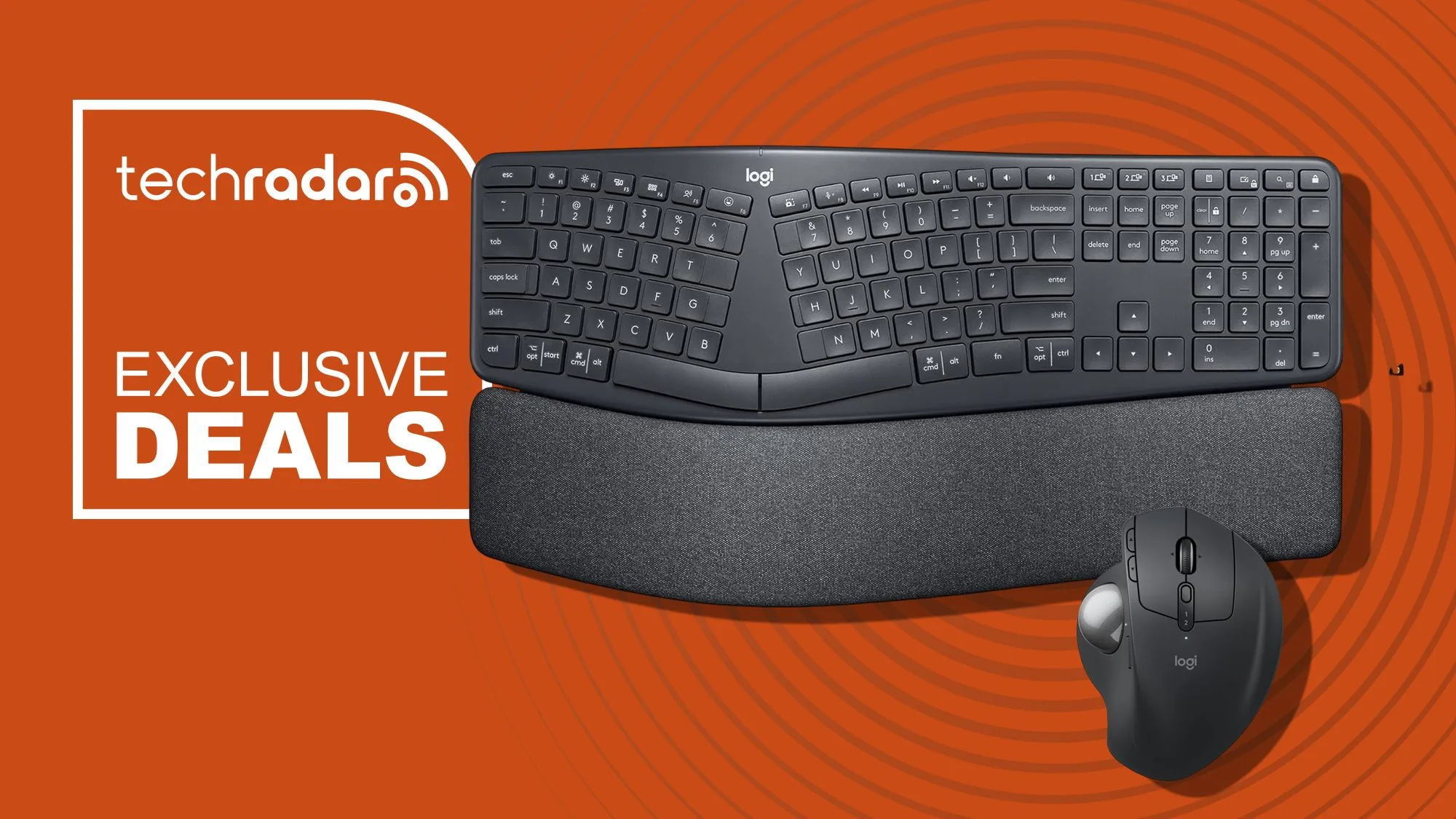
A Logitech MX Ergo S kiemelkedik az ergonomikus irodai kiegészítők közül, mivel egyedi, hüvelykujjal vezérelhető vezeték nélküli trackball egérkialakítást kínál, amely hosszú órákon át is kényelmes a munkaasztalnál. Jelenleg az MX Ergo S és tökéletes társa, a Logitech Ergo K860 osztott ergonomikus billentyűzet is 15% kedvezménnyel érhető el az Amazon for Business akcióban — vonzó lehetőség azoknak a szakembereknek, akik fejlesztenék a munkaterületüket.
A termelékenység jegyében tervezett két eszköz a munkahelyi kényelmetlenségek gyakori okait kezeli azáltal, hogy egészségesebb kéz- és csuklótartást támogat. Ha ergonomikusabb perifériákra váltana, a Logitech MX Ergo S és az Ergo K860 praktikus, gazdag funkciókészletű megoldást kínál versenyképes áron.
Miért különleges a Logitech MX Ergo S
A Logitech MX Ergo S nem csupán egy újabb vezeték nélküli egér — ez egy trackball egér, amelyet úgy terveztek, hogy minimálisra csökkentse a kéz és a kar mozgását. A hagyományos egérrel ellentétben, amelynél az egész kezét mozgatnia kell az asztalon, az MX Ergo S hüvelykujjal működtetett trackballt használ, így a keze többnyire helyben maradhat. Ez a kialakítás segíthet csökkenteni a fáradtságot, különösen hosszú munkamenetek során, így okos választás azoknak, akik naponta több órát töltenek a számítógép előtt.
Az egér 20 fokban állítható dőlésszöget is kínál, így a felhasználók a csukló kényelme érdekében személyre szabhatják a pozíciót. Formázott alakja közepes és nagyobb kezekhez illeszkedik, texturált fogása pedig nyugodtan és stabilan tartja a tenyeret. A hat programozható gomb további sokoldalúságot ad, lehetővé téve a gyorsbillentyűk és funkciók személyre szabását a munkafolyamatnak megfelelően — legyen szó dokumentumszerkesztésről, alkalmazások közötti váltásról vagy táblázatok kezeléséről.
A zaj is fontos szempont a forgalmas irodákban, és az MX Ergo S ezt akár 80%-kal halkabb kattintásokkal kezeli a hagyományos egerekhez képest. A Bluetooth és a Logi Bolt vevőegységes csatlakozás, valamint az akár 120 napos akkumulátor-üzemidő egyetlen USB-C töltéssel együtt könnyen érthetővé teszi, miért népszerű ez az eszköz a produktivitás rajongói körében.
Logitech Ergo K860: az osztott ergonomikus billentyűzet magyarázata
A Logitech Ergo K860 más megközelítést alkalmaz a kényelem terén. Ez a vezeték nélküli billentyűzet ívelt, osztott billentyűkiosztással rendelkezik, amely gépelés közben természetesebb szögbe helyezi a kezeket és a csuklót. Az olyan billentyűzetek, mint a K860, arra törekednek, hogy csökkentsék az izomterhelést és javítsák a testtartást, segítve megelőzni az olyan problémákat, mint a csuklófájdalom vagy az ismétlődő terheléses sérülés (RSI).
A beépített, párnázott csuklótámasz — amely puha hab kettős rétegéből készült — megtámasztja a tenyeret, míg az elöl található döntőlábak lehetővé teszik a dőlésszög tetszés szerinti beállítását. A teljes méretű elrendezés csendes, homorú billentyűket tartalmaz, amelyek minden lenyomásnál finom tapintási visszajelzést adnak, így a gépelés hosszú munkamenetek során is kényelmes és pontos marad.
A csatlakozás rugalmas: Bluetooth vagy USB-vevőegység segítségével akár három eszközzel is párosíthatja a billentyűzetet, majd egy gombnyomással válthat köztük. A testreszabható funkcióbillentyűk tovább növelik a hatékonyságot, lehetővé téve, hogy a billentyűzetet a leggyakrabban használt parancsaihoz igazítsa.
Kinek érdemes megfontolnia ezeket az ergonomikus irodai kiegészítőket?
A Logitech MX Ergo S és az Ergo K860 azokat a szakembereket célozza, akik sok időt töltenek az íróasztalnál, és szeretnének befektetni a hosszú távú kényelembe. Ha gyakran érez csukló- vagy karfáradtságot egy teljes munkanap után, vagy ha csapatot vezet, és szeretné csökkenteni a munkahelyi kényelmetlenségeket, ezek az eszközök mérhető különbséget hozhatnak.
Az irodai beszerzéssel foglalkozó csapatok különösen nagy értéket találhatnak ezekben a kiegészítőkben az Amazon for Business akció során. Mind az egér, mind a billentyűzet jelenleg 15%-kal olcsóbb: az MX Ergo S ára 101,99 dollár (a korábbi 119,99 dollár helyett), az Ergo K860-é pedig 127,49 dollár (a korábbi 149,99 dollár helyett). Bár az év elején voltak rövid ideig ennél alacsonyabb árak is — például az MX Ergo S 84 dollárért —, ezek a kedvezmények viszonylag ritkák, és lehet, hogy nem tartanak sokáig.
Azok a vállalkozások, amelyek több munkaállomást szeretnének fejleszteni, profitálhatnak a Logitech megbízhatóságából és minőségi kivitelezéséből, elkerülve az olcsóbb, kevésbé tartós hardverekkel járó rejtett költségeket és termelékenységcsökkenést.
Funkció-összehasonlítás: Logitech MX Ergo S vs. Ergo K860 billentyűzet
Az alábbiakban egymás mellett láthatók a Logitech MX Ergo S és az Ergo K860 osztott ergonomikus billentyűzet főbb jellemzői, hogy segítsünk eldönteni, melyik eszköz felel meg az igényeinek — vagy hogy a kettő együtt jó befektetés-e egy ergonomikus fejlesztéshez.
| Jellemző | Logitech MX Ergo S | Logitech Ergo K860 |
|---|---|---|
| Eszköztípus | Vezeték nélküli trackball egér | Osztott ergonomikus billentyűzet |
| Ergonómiai jellemzők | Hüvelykujjal működtetett trackball, állítható 20°-os dőlés, formázott kialakítás | Ívelt, osztott billentyűkiosztás, párnázott csuklótámasz, állítható tenyéremelés |
| Csatlakozás | Bluetooth, Logi Bolt USB vevőegység | Bluetooth, USB vevőegység |
| Akkumulátor-üzemidő | Akár 120 nap (USB-C-n tölthető) | Akár 2 év (2 db AAA elem) |
| Programozható vezérlők | 6 testreszabható gomb | Testreszabható funkcióbillentyűk |
| Legjobb választás | A kéz/kar mozgásának csökkentésére, közepes és nagyobb kezekhez | Kényelmes gépeléshez, jobb csuklóhelyzethez |
| Jelenlegi ár | 101,99 USD (15% kedvezménnyel) | 127,49 USD (15% kedvezménnyel) |
Előnyök és hátrányok: valós visszajelzések
A Logitech MX Ergo S és az Ergo K860 értékelései rávilágítanak arra, milyen valódi hatást gyakorolhatnak ezek az eszközök. Egy szakértői tesztben az MX Ergo S elődje olyan elismerést kapott, mint „rendkívül jól megtervezett termék, amely öröm használni”. A felhasználók gyakran említik a csuklóterhelés csökkenését és az egyszerűbb navigációt az olyan feladatoknál, amelyek hosszú időt igényelnek a számítógép előtt.
Az MX Ergo S különösen hasznos azoknak, akik kellemetlenséget tapasztalnak az ismétlődő egérmozdulatok miatt. A helyhez kötött kialakítás és a gyorsan reagáló trackball segítségével precíziós feladatok is elvégezhetők anélkül, hogy az egész kart mozgatni kellene. Az akkumulátor-üzemidő is kiemelkedő — egyetlen töltéssel akár négy hónap, ami kevesebb megszakítást jelent a töltés miatt. Ugyanakkor az eszköz elsősorban jobbkezes felhasználóknak és közepes vagy nagyobb kezűeknek ideális; a balkezesek vagy a kisebb kezű felhasználók kevésbé találhatják kényelmesnek.
Az Ergo K860 osztott billentyűzet hasonló elismerést kap a kényelem és a támasztás miatt. Az osztott, ívelt kialakítás és a puha csuklótámasz helyes kéztartásra ösztönöz, amihez némi hozzászokás szükséges lehet, ha korábban csak hagyományos billentyűzetet használt. Néhány felhasználó kezdeti alkalmazkodási időszakról számol be, de a többség néhány napon belül megszokja. A billentyűzet nagyobb mérete (közel 18 hüvelyk széles) miatt több helyet foglal az asztalon, így a kisebb hellyel rendelkezőknek lehet, hogy át kell rendezniük a munkaterületüket.
- A Logitech MX Ergo S fő előnyei:
- Csökkenti a csukló- és karterhelést
- Testreszabható gombok a hatékonyságért
- Hosszú akkumulátor-üzemidő (akár 120 nap)
- Halk, mégis tapintható kattintások
- Az Ergo K860 billentyűzet fő előnyei:
- Ívelt, osztott kialakítás a természetes kéztartásért
- Kétrétegű csuklótámasz a megtámasztásért
- Állítható dőlés a személyre szabott kényelemért
- Vezeték nélküli csatlakozás több eszközhöz
Kinek nem ajánlott az MX Ergo S és az Ergo K860?
Bármennyire innovatív is a Logitech MX Ergo S és az Ergo K860, nem mindenkinek megfelelőek. Az MX Ergo S trackballos kialakítása gyakran megosztó — egyesek gyorsan megszokják a hüvelykujjas vezérlést, míg mások sosem érzik igazán kényelmesnek. Ha Ön a hagyományos egér gyorsaságát és megszokottságát kedveli, vagy kisebb a keze, az MX Ergo S nem biztos, hogy ideális választás lesz.
Az Ergo K860 osztott, ívelt elrendezése kihívást jelenthet azoknak, akik kizárólag egyenes, lapos billentyűzeteket használtak. Van tanulási görbe, és ha nem hagyományos gépelési stílusban ír, eleinte furcsának tűnhet. A billentyűzet mérete miatt jelentős asztalfelületet foglal el, ami kisebb irodákban problémát okozhat. A balkezes felhasználóknak azt is tudniuk kell, hogy az MX Ergo S kizárólag jobb kézre készült.
Azok, akik költségkímélő opciókat keresnek, megfontolhatják, hogy várnak az időnként mélyebb kedvezményekre, de a jelenlegi 15% kedvezmény az Amazon for Business akcióban megbízható értéket jelent — különösen azoknak a vállalati vásárlóknak, akik egyszerre több munkaállomást fejlesztenek.
Gyakran ismételt kérdések
Nehéz használni a Logitech MX Ergo S-t, ha még sosem próbáltam trackball egeret?
Rövid tanulási görbéje van a Logitech MX Ergo S-nek, különösen akkor, ha hagyományos egérhez van szokva. A legtöbb felhasználó néhány napon belül alkalmazkodik. A hüvelykujjal működtetett trackball pontos, a 20 fokos dőlés pedig segít kényelmesen pozicionálni a csuklót. Ha lehet, vásárlás előtt próbáljon ki egy trackballt üzletben, de a legtöbben úgy érzik, hogy az ergonomikus előnyök miatt megéri az átállás.
Használhatom az MX Ergo S-t és az Ergo K860-at több eszközzel is?
Igen, mindkét eszköz kínál többeszközös csatlakozást. Az MX Ergo S Bluetoothon vagy a Logi Bolt USB vevőegységen keresztül csatlakozik, az Ergo K860 pedig akár három eszközzel is párosítható. Az eszközök közötti váltás gyors, ami ideális azoknak, akik laptopokkal, asztali gépekkel vagy táblagépekkel dolgoznak.
Meddig bírja az MX Ergo S akkumulátora, és hogyan tölthetem újra?
Az MX Ergo S egyetlen USB-C töltéssel akár 120 nap használatot kínál. Az újratöltés egyszerű — csatlakoztassa a mellékelt USB-C kábelt az egérhez és bármely USB-porthoz. Az akkumulátor állapota a Logitech Options szoftverben ellenőrizhető.
Valóban segít az Ergo K860 billentyűzet a csuklófájdalmon?
Sok felhasználó és tesztelő számol be csuklófájdalom-csökkenésről az Ergo K860-ra váltás után. Az osztott, ívelt billentyűkeret és a memóriahabos csuklótámasz együtt természetesebb csuklószöget támogat, és egyenletesebben osztja el a nyomást. Az eredmények azonban a gépelési szokásoktól és az asztali elrendezéstől függően változhatnak.
Alkalmasak ezek a kiegészítők balkezes felhasználóknak?
Az MX Ergo S jobbkezes használatra készült, és nincs balkezes változata. Az Ergo K860 osztott billentyűzete szimmetrikus, így balkezes gépelők is használhatják, de akik balkezes trackball egeret keresnek, más opciókat kell hogy mérlegeljenek.
Következtetés
A Logitech MX Ergo S és az Ergo K860 osztott ergonomikus billentyűzet jól összeillő párost kínál mindazoknak, akik szeretnék csökkenteni a fizikai terhelést és növelni a termelékenységet az íróasztalnál. Mindkettő jelenleg 15% kedvezménnyel érhető el az Amazon for Business akció részeként, így áruk rendre 101,99 és 127,49 dollárra csökken. A testreszabható vezérlők, a hosszú akkumulátor-üzemidő és az iparágvezető kényelem révén ezek az irodai kiegészítők kiemelkednek a professzionális munkakörnyezetben.
Ha készen áll arra, hogy javítsa a kényelmét és hatékonyságát — vagy szeretne befektetni csapata jólétébe —, ez időszerű lehetőség a fejlesztésre. Nézze meg ezeket az ajánlatokat, mielőtt az akció véget ér, és tapasztalja meg, milyen különbséget jelenthet az ergonomikus kialakítás a mindennapi munkafolyamatban.


