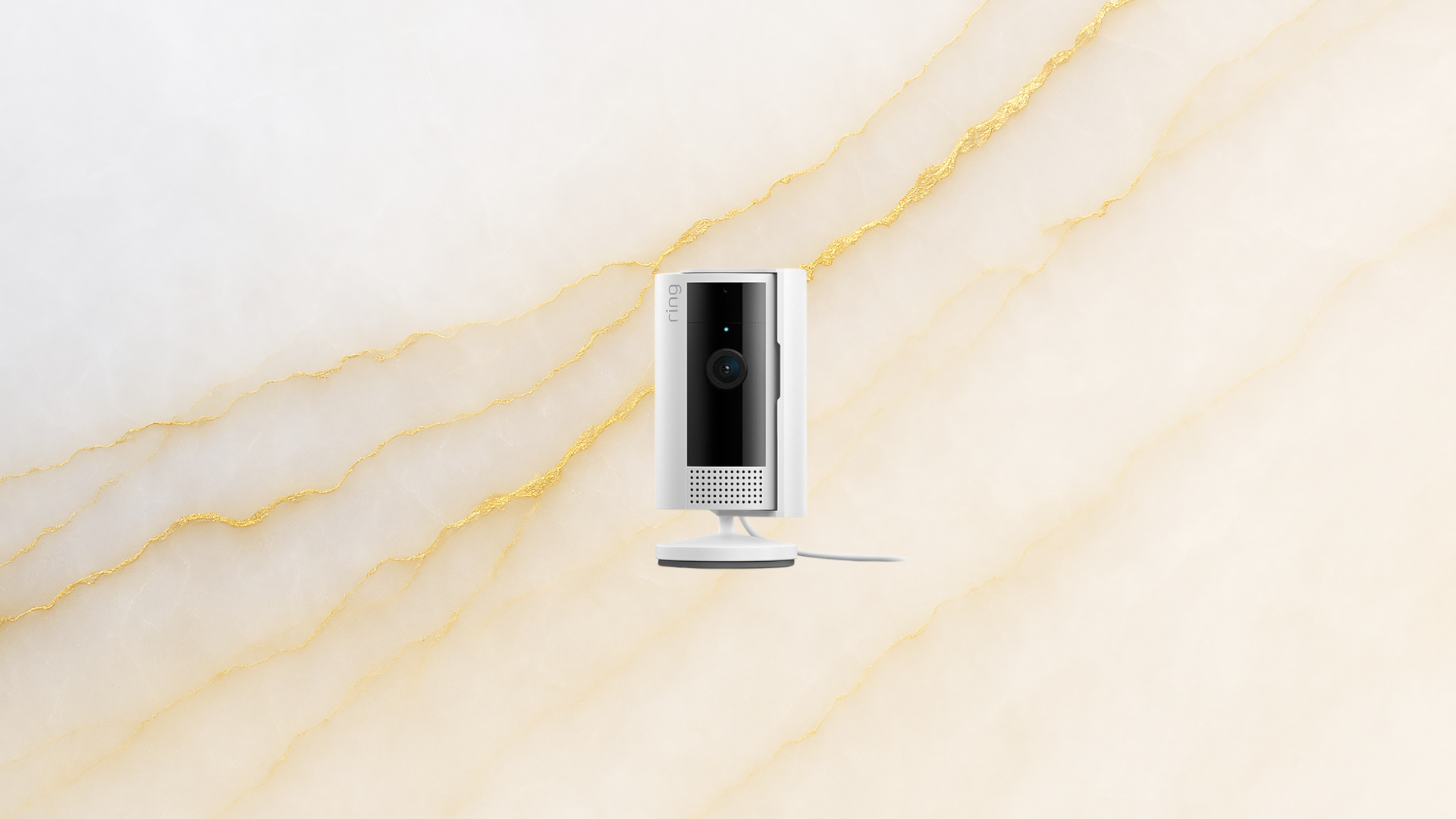
The Ring Indoor Cam offers homeowners an affordable way to boost their indoor security, all for just $29.99. For many, keeping an eye on what happens inside their home or apartment brings peace of mind, but the high cost of security cameras can be a barrier. With the Ring Indoor Cam, you get a high-quality, budget-friendly option from one of the most trusted brands in home surveillance.
Did you know that over 60% of home security camera buyers say price is the top factor in their decision? If you’ve ever hesitated to invest in indoor security because of the $100+ price tags, the Ring Indoor Cam could be the solution. How does this compact, affordable security camera stack up, and is it the right choice for your home? Let’s explore what sets it apart from other indoor security options.
Why Choose the Ring Indoor Cam?
When searching for a reliable indoor security camera, you’ll find plenty of premium models boasting advanced features, but many cost well north of $100. The Ring Indoor Cam stands out because it delivers core security features at a fraction of the price. At only $29.99—down from its original $49.99—it’s a tempting offer for anyone looking to add an indoor camera without breaking the bank.
Ring is a leader in home security, known for its video doorbells and smart lighting. The Indoor Cam follows this tradition by offering seamless integration with other Ring devices. Whether you’re already using a Ring Video Doorbell or plan to build a connected home system, the Indoor Cam fits right in. If you’re starting with only one camera, it’s still a strong upgrade for any room in your house or apartment.
For renters, students, or anyone living in smaller spaces, the low cost and compact design make this 1080p HD camera an easy investment. You get strong surveillance coverage and the flexibility to move or re-install the camera as needed.
Features of the Ring Indoor Cam
The Ring Indoor Cam may be budget-friendly, but it doesn’t cut corners on essential features. It captures clear, 1080p HD video, ensuring you get sharp footage day or night. With a simple plug-in design, there’s no need to worry about charging batteries or the camera dying unexpectedly.
Key Features at a Glance
- 1080p HD Video: Crisp, clear footage for identifying faces and details.
- Two-Way Talk: Speak to anyone in the room through the Ring app.
- Live View: Monitor your home in real time from your smartphone, tablet, or Alexa-enabled device.
- Privacy Cover: Instantly disable video and audio for maximum control.
- Easy Setup: Plug into any standard outlet and connect to WiFi in minutes.
- Alexa Compatibility: Ask Alexa to show the live feed on compatible smart displays.
For families, the two-way talk feature adds convenience and reassurance. Imagine being able to check in on kids or pets after school and even communicate with delivery drivers—all without opening the door.
Setup and Ease of Use
Some security cameras require complex installation, drilling, or wiring. The Ring Indoor Cam keeps things simple. Plug the camera into a power outlet, connect it to your WiFi network, and follow a straightforward setup process in the Ring app. Most users report total setup time under 10 minutes.
Step-by-Step Installation
- Plug the Ring Indoor Cam into a wall outlet.
- Download and open the Ring app on your smartphone.
- Follow the in-app prompts to connect the camera to your WiFi network.
- Position the camera on a shelf, counter, or mount it on a wall.
- Customize settings for motion alerts, video recording, and privacy as needed.
Since the camera is wired, there’s no need to worry about battery life or recharging. This can be a relief for anyone who prefers to set and forget their security devices. The camera is compact and unobtrusive, measuring just 1.81 x 1.81 x 2.95 inches, so it blends in easily with home décor.
Smart Home Integration
The Ring Indoor Cam plays well with other Ring products and Amazon Alexa devices. Many customers choose it as their first Ring product, but the real value comes when you connect it with additional Ring cameras, doorbells, or smart lights. All devices work together in the Ring ecosystem, sending real-time alerts to your phone and even triggering alarms if suspicious activity is detected.
Alexa compatibility adds another layer of convenience. Simply ask, “Alexa, show me the living room camera,” and the live feed will display on your Echo Show or Fire TV. This hands-free access is especially helpful when you’re busy or away from your phone.
For maximum coverage, some users install multiple Ring Indoor Cams throughout the house, using the app to monitor all rooms from a single dashboard. Whether you’re at work, on vacation, or just out for groceries, you can see what’s happening at home anytime.
Privacy and Security Controls
Home surveillance often brings up privacy concerns. The Ring Indoor Cam addresses this with a built-in privacy cover that physically blocks the camera’s lens and microphone. You can flip the cover to disable recording instantly, giving you complete control over when the camera is active.
In the Ring app, privacy zones let you block out areas you don’t want to monitor, such as a window or a private corner. You can also adjust motion sensitivity, turn off audio recording, and manage which devices have access to the camera.
| Privacy Feature | Description | User Benefit |
|---|---|---|
| Privacy Cover | Physical shutter to block camera and microphone | Instant privacy on demand |
| Motion Zones | Customize which areas trigger alerts | Reduce unwanted notifications |
| Audio Control | Enable or disable microphone | Protect conversations |
| App Permissions | Set who can view or manage the camera | Control user access |
These privacy options help the Ring Indoor Cam stand out among cheap security cameras, especially for those who want flexibility in how and when their spaces are monitored.
Comparing the Ring Indoor Cam to Other Affordable Security Cameras
While the Ring Indoor Cam is now just $29.99, it’s not the only indoor security camera in the budget category. How does it compare to other popular options under $50? Here’s a quick breakdown:
| Camera | Resolution | Price | Power Source |
|---|---|---|---|
| Ring Indoor Cam | 1080p HD | $29.99 | Plug-in |
| Wyze Cam v3 | 1080p HD | $35.98 | Plug-in |
| TP-Link Tapo C100 | 1080p HD | $24.99 | Plug-in |
| Amazon Blink Mini | 1080p HD | $29.99 | Plug-in |
While several cameras offer similar resolution and price points, the Ring Indoor Cam stands out for its integration with the rest of the Ring and Alexa ecosystem. It also offers a physical privacy cover, a feature not always found on competitors at this price.
Who Should Buy the Ring Indoor Cam?
This camera fits a variety of users. Homeowners seeking a budget home surveillance solution, renters who want an easy-to-install device, and small business owners looking for simple indoor monitoring will all appreciate the Ring Indoor Cam.
Some examples of practical use cases include:
- Parents monitoring kids and babysitters in common spaces
- Pet owners checking in on animals while at work
- Roommates wanting to keep an eye on shared living areas
- Small business owners watching retail stock rooms or entryways
With over 100,000 reviews and an average rating above 4.5 stars on Amazon, the Ring Indoor Cam has proven popular for households of all sizes. Many first-time buyers choose the Indoor Cam for its combination of price, quality, and easy setup, then expand their system over time.
Frequently Asked Questions
Does the Ring Indoor Cam require a subscription for video recording?
You can access live view and notifications without a subscription. To save and review recorded footage, you’ll need a Ring Protect Plan, starting at $3.99/month per device.
Can the Ring Indoor Cam be used outdoors?
No, the Ring Indoor Cam is designed for indoor use only. For outdoor surveillance, consider the Ring Stick Up Cam or other weather-resistant models.
How does the privacy cover work on the Ring Indoor Cam?
The privacy cover physically blocks both the camera and microphone. When engaged, video and audio recording are fully disabled until you open the cover again.
Is the camera compatible with Amazon Alexa?
Yes, the Ring Indoor Cam works with Alexa-enabled devices. You can view the live feed on Echo Show, Fire TV, and other compatible screens using voice commands.
Will the Indoor Cam work if my WiFi goes down?
No, the camera needs an active WiFi connection to stream video and send alerts. It does not have local storage or cellular backup.
Conclusion
The Ring Indoor Cam delivers reliable home surveillance at a fraction of the cost of most competitors. For just $29.99, you get a 1080p HD camera, two-way talk, privacy controls, and seamless integration with other Ring and Alexa devices. If you’re shopping for a dependable, affordable security camera, the Ring Indoor Cam is a smart pick—start with one and expand your system as your needs grow.